Gallery
Table of Contents
- Map Page
- Netrics Page
- All Traffic
- Recent Visits
- Visits by Site Table
- Pie Chart Data
- Marketing
- Visitor Log
- Bot Filtering
Map Page
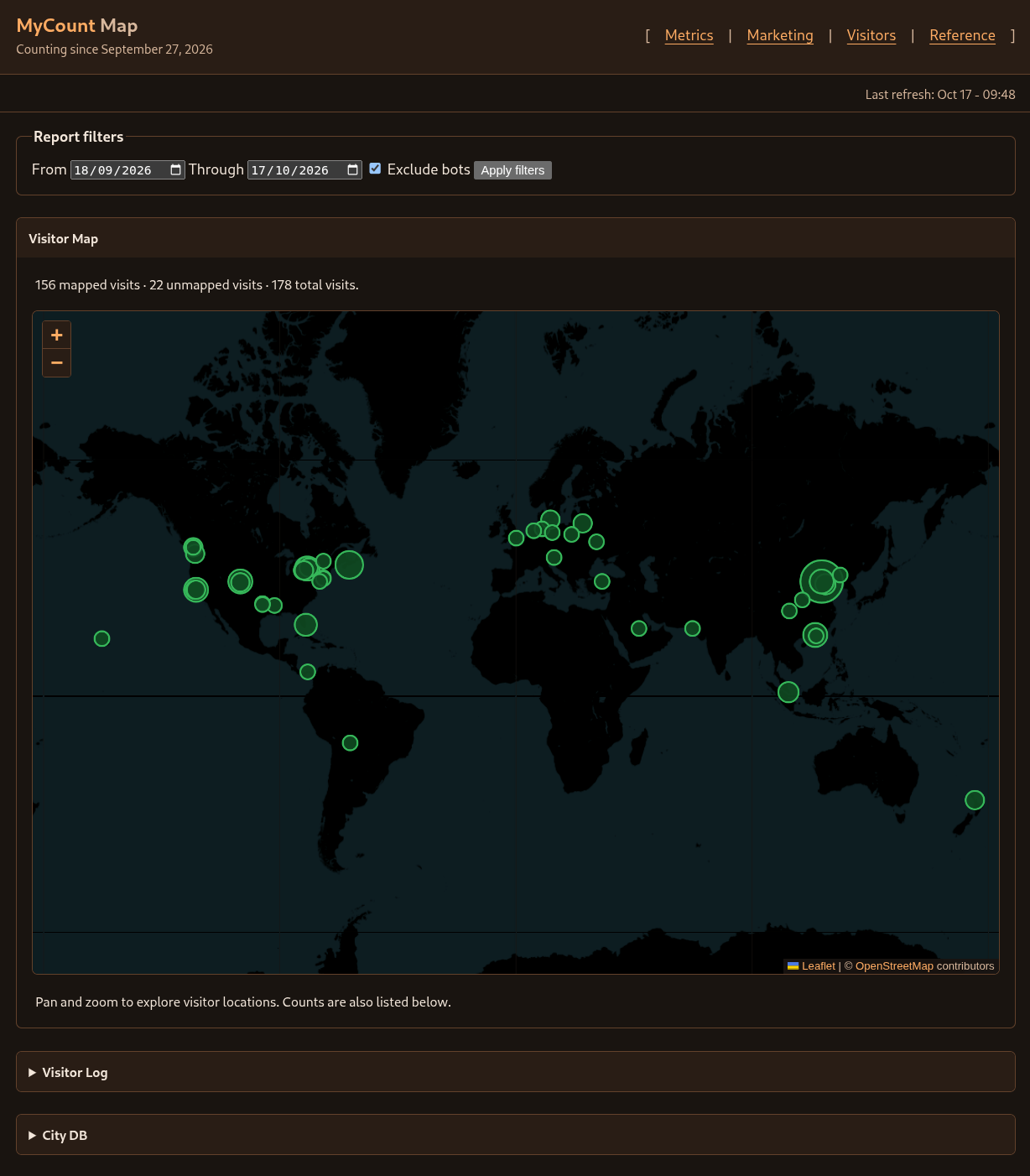
Map, Metrics, and Marketing share Report filters for site, date range, and
bot exclusion. Site defaults to * (all sites); choose a recorded site and
click Apply filters to limit traffic visualizations and tables to that site.
Map and Metrics default to the first recorded visit through today in the report’s
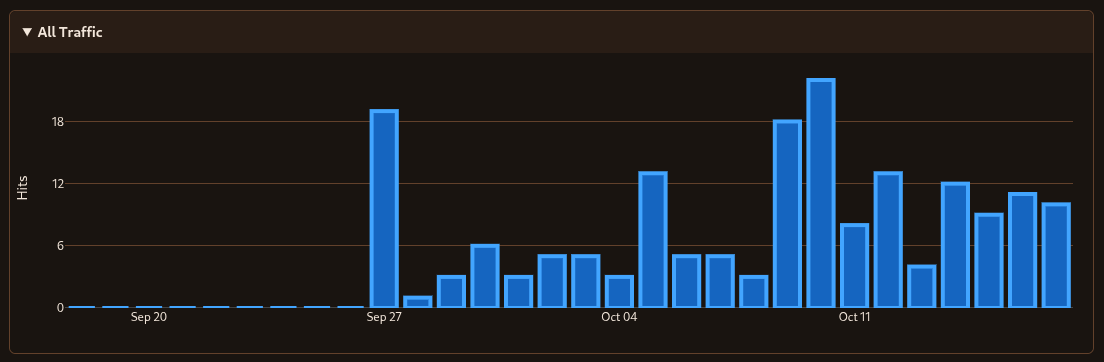
timezone. Select From and Through dates to view a fixed range. All Traffic uses
the same filters as the other Metrics charts and tables.
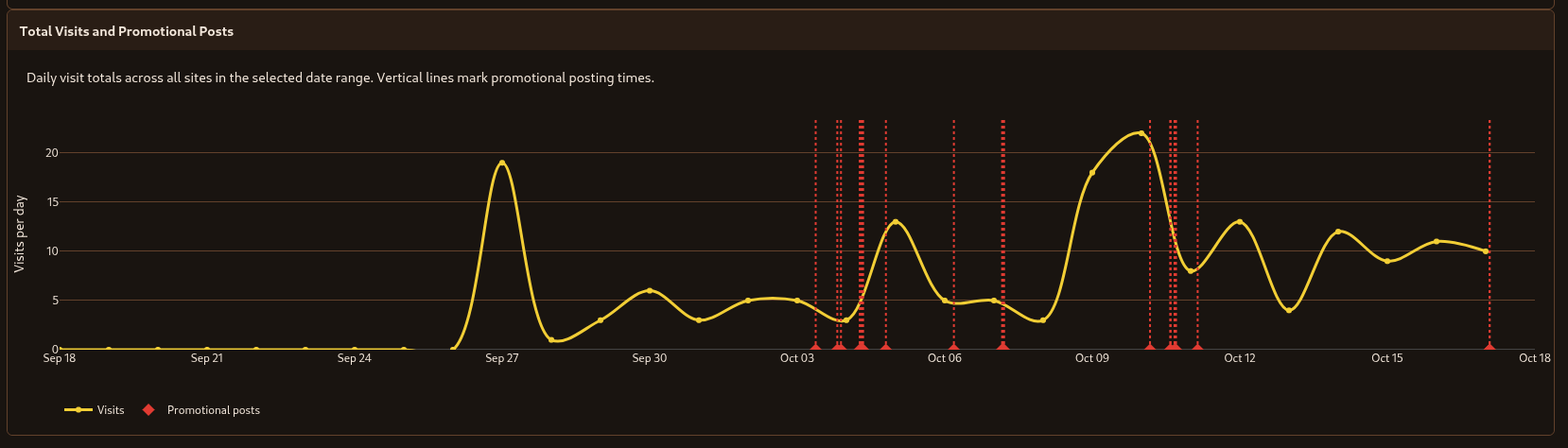
Marketing post annotations remain shared because posts are not assigned to sites.
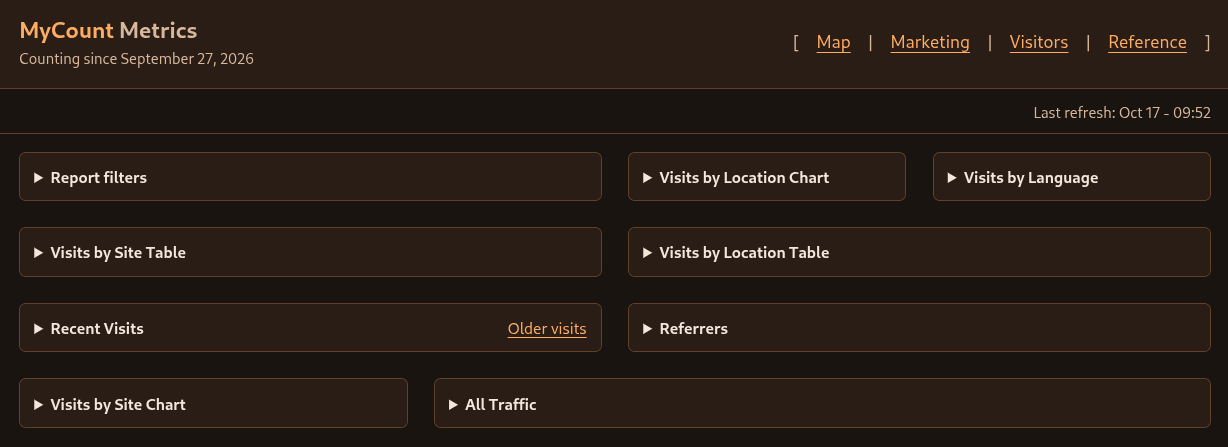
Netrics Page
All Traffic
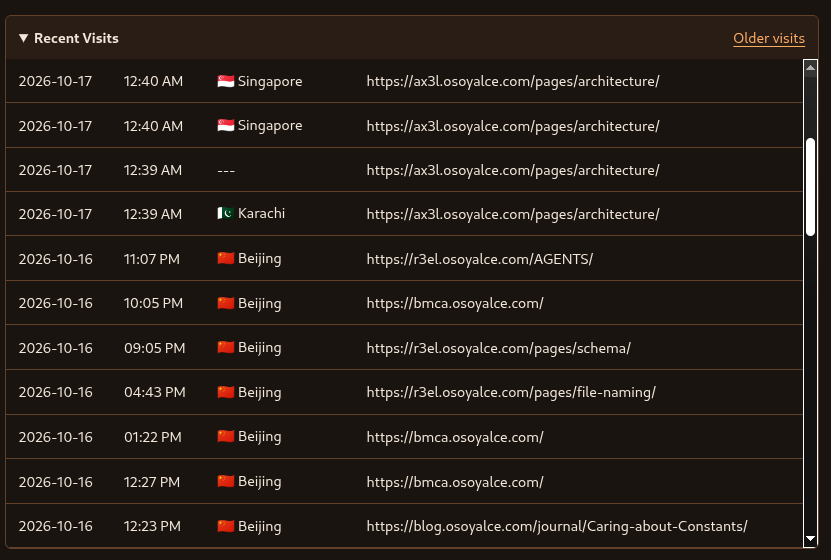
Recent Visits
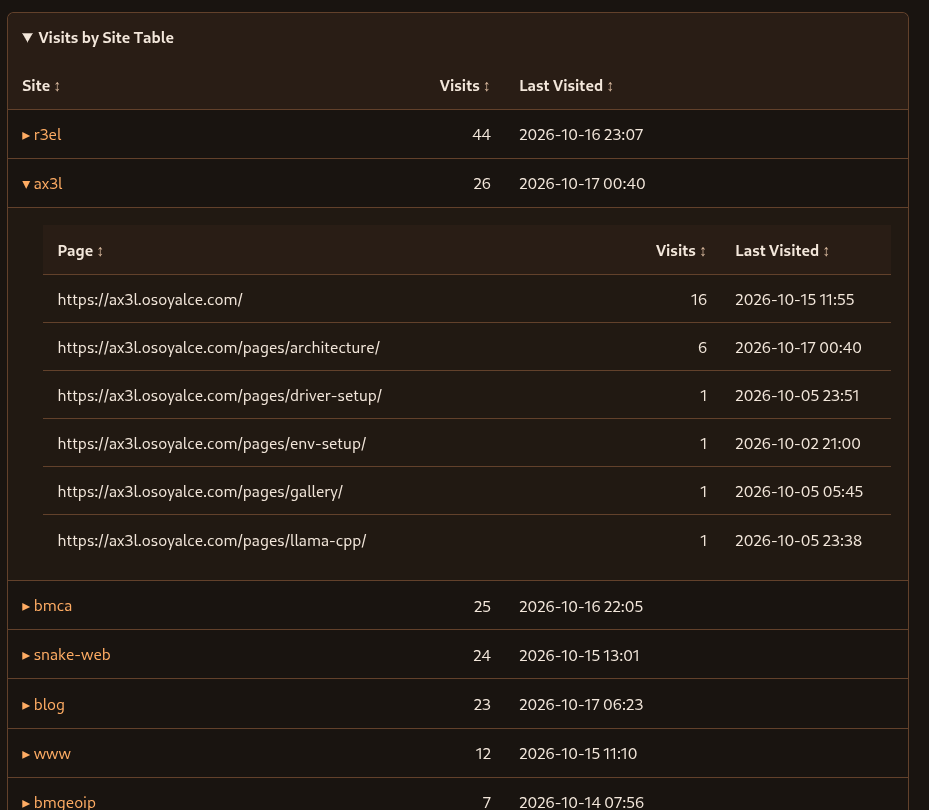
Visits by Site Table
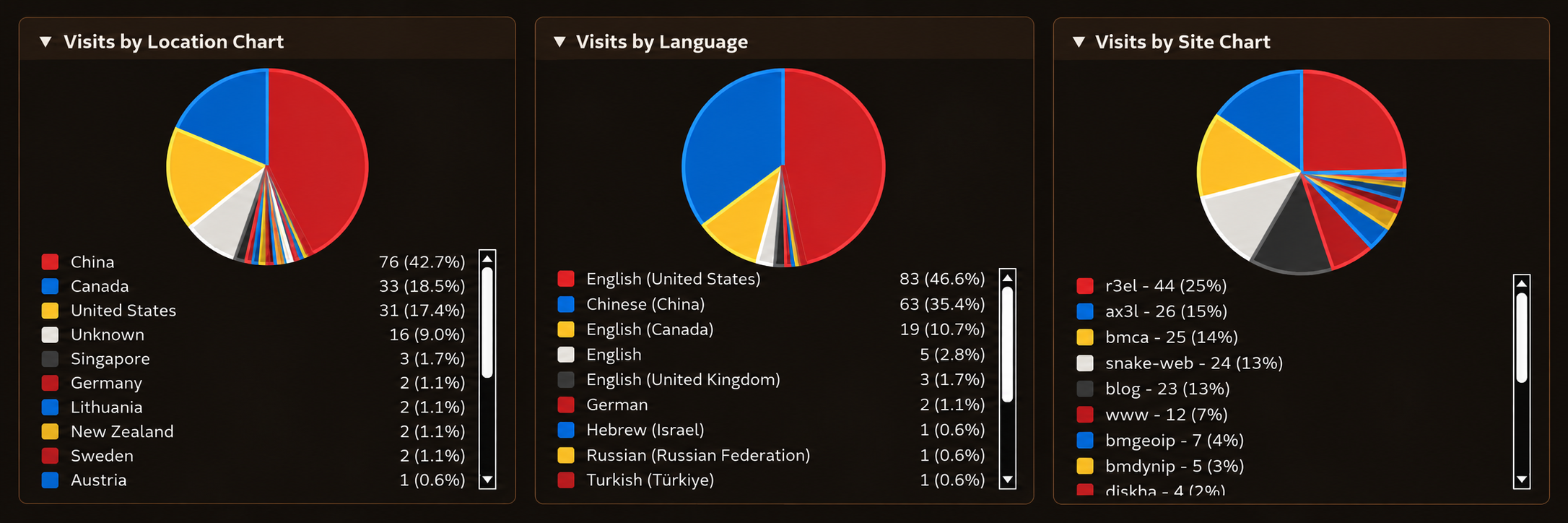
Pie Chart Data
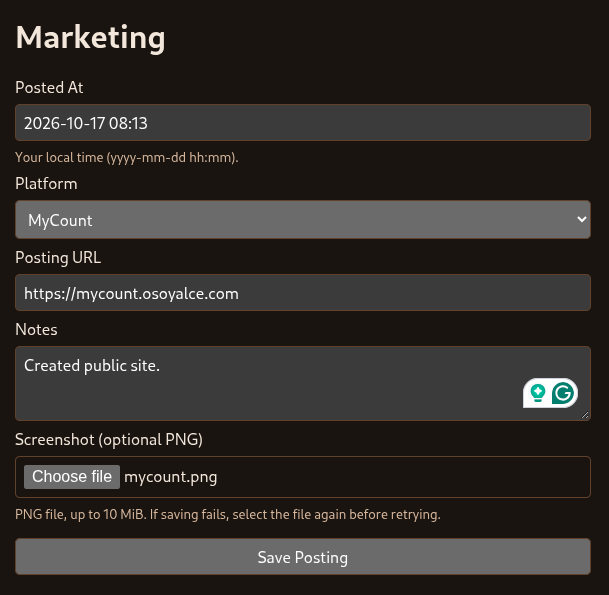
Marketing
Marketing Form
Marketing Traffic
Marketing Log
Visitor Log
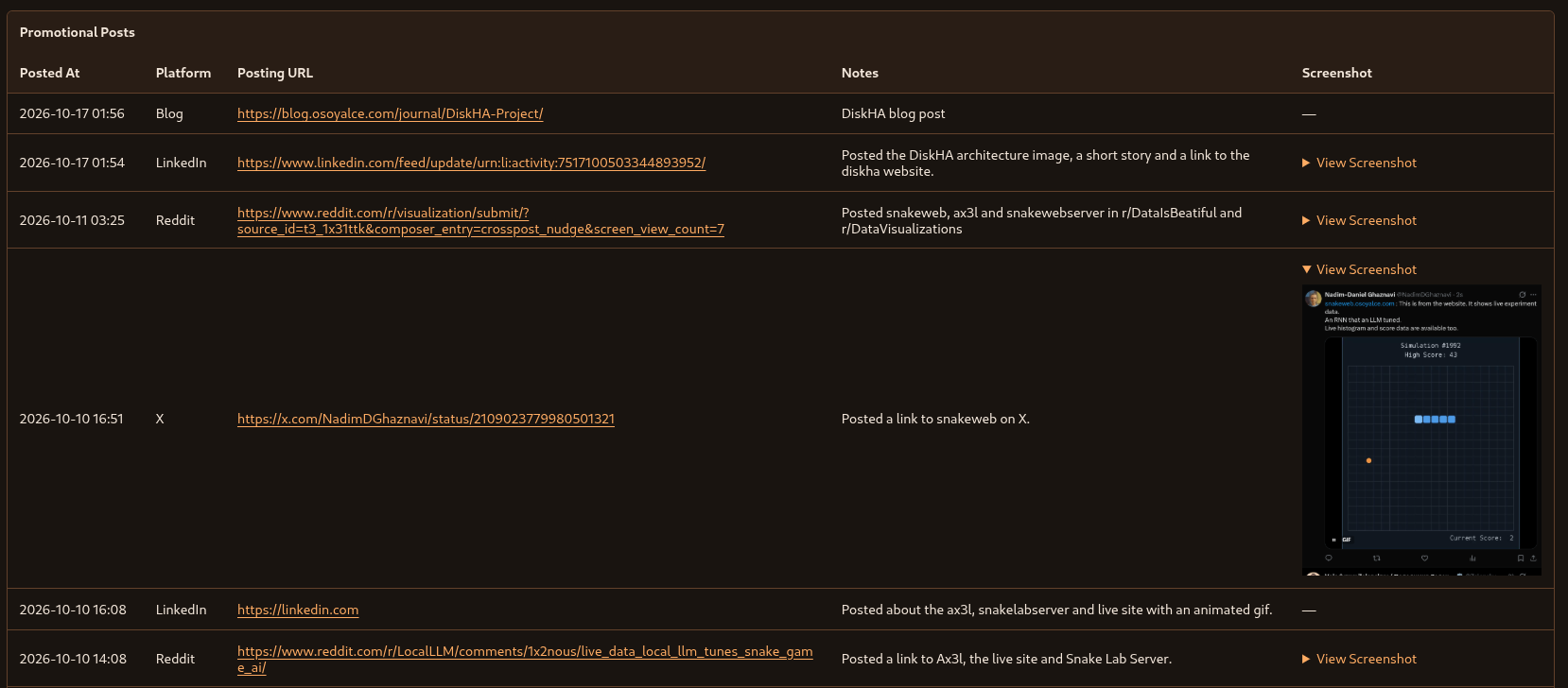
This page shows the complete set of data that the system collects. By design, the UI can be easily extended to provide additional reporting.

Bot Filtering

With Exclude bots enabled, reports also recognize combinations of browser, platform, screen, memory, touch, and referrer signals associated with automation. These include phone renderers, desktop/iPhone platform mismatches, oversized renderer viewports, and Facebook preview profiles. Matching new visits are flagged during collection; the report filter also checks historical visits whose stored bot flag is false or missing. Recorded visits remain available with bot exclusion disabled. These per-visit rules do not use IP addresses or countries.
Collection also checks each site’s recent Windows/Chrome traffic for coordinated page sweeps with rotating identities. Within 48 hours, detection requires at least 12 visitor IDs on different IP addresses, 12 distinct content pages without repeat content visits, six homepage-to-content pairs lasting 2–8 seconds, and a run of eight regularly spaced sessions covering at least 80% of the identities. Intervals may span one to four cadence ticks, with 8% timing variation allowed. Ticks range from one minute to four hours. Evidence is kept separate by site and origin. Browser versions, memory sizes, countries, and particular IP addresses are not blocklists.
This is a conservative behavioral heuristic, not proof of an operator’s identity. It needs enough traffic before recognizing a campaign; unrelated short visits with the same behavior can be indistinguishable. Visitors with more than two recorded hits, slower navigation pairs, or external referrals are left alone. Detected page views receive the stored bot flag and remain available with Exclude bots disabled. Collection logs the number of new classifications. A later classification does not remove that flag.
To preview a historical scan, run the following from the application environment
with its existing DB_* variables set:
python3 -m mycount.activity.DetectCrawlCampaigns --site kb
Add --apply to persist the reviewed classifications. The preview is read-only;
historical scans use rolling 48-hour windows and leave other sites alone.